
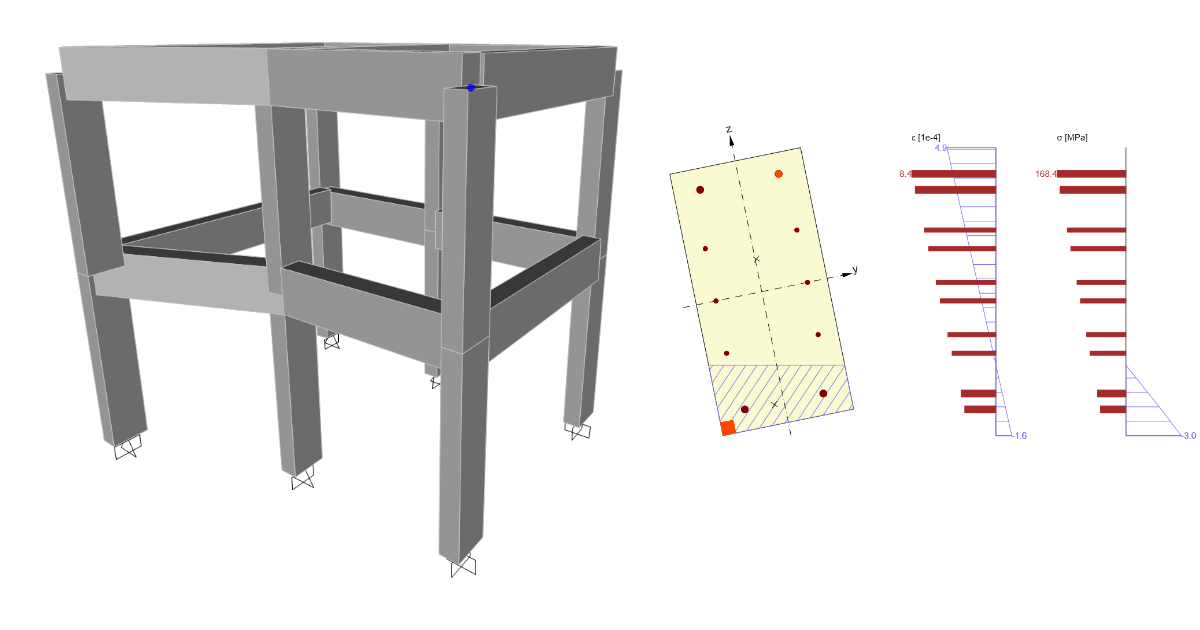


Remark
The link to the Beam app is only possible with IDEA version 24.1.2. and lower.
1 How to activate the link
BIM link activation for SAP2000 (v23 and newer)
BIM link activation for SAP2000 (v22 and older)
2 How to use the link
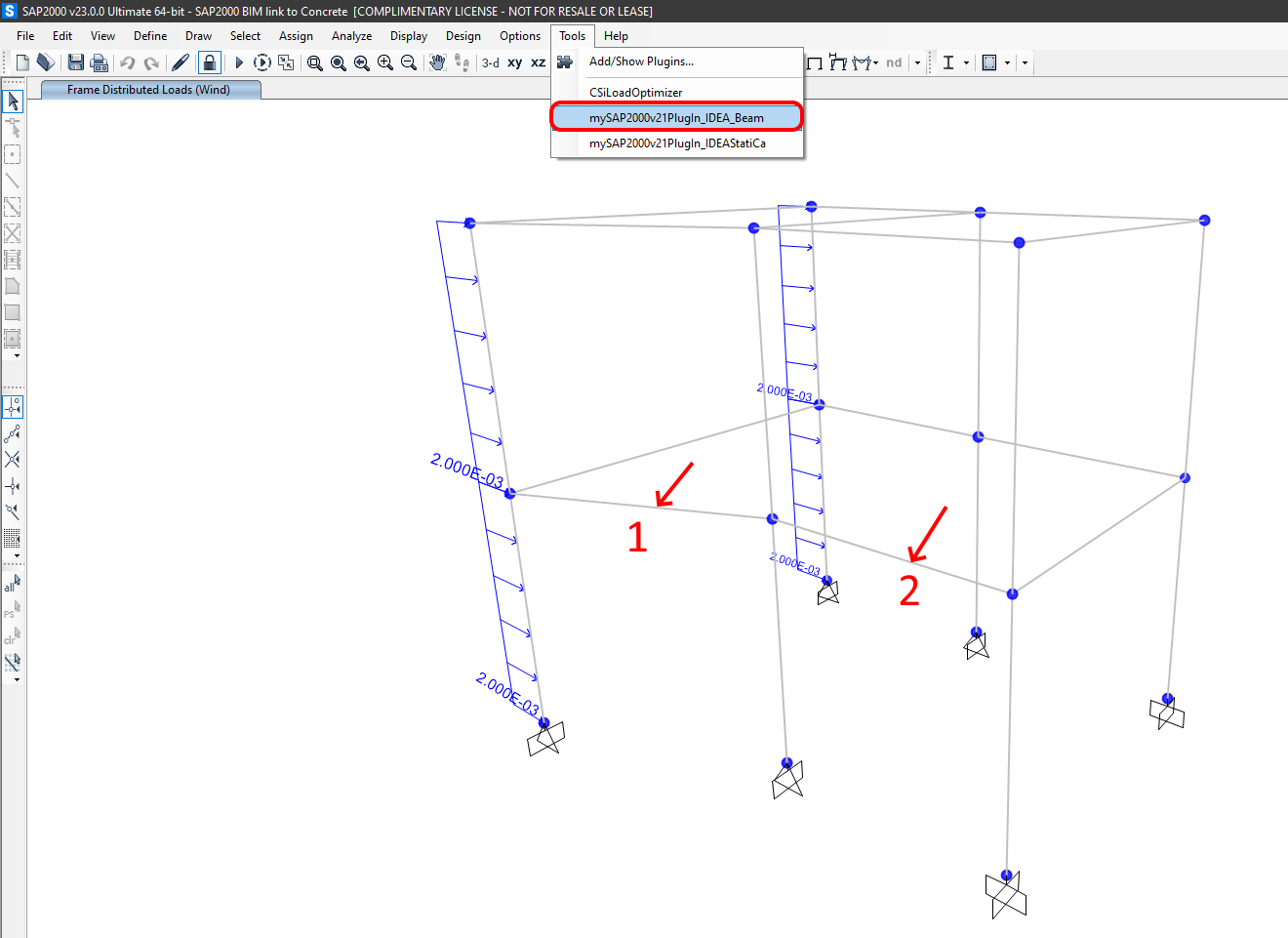
Run the analysis and select the Beams (1,2). Open the Tools and use the plugin SAP2000v21Plugin_IDEA_Beam.
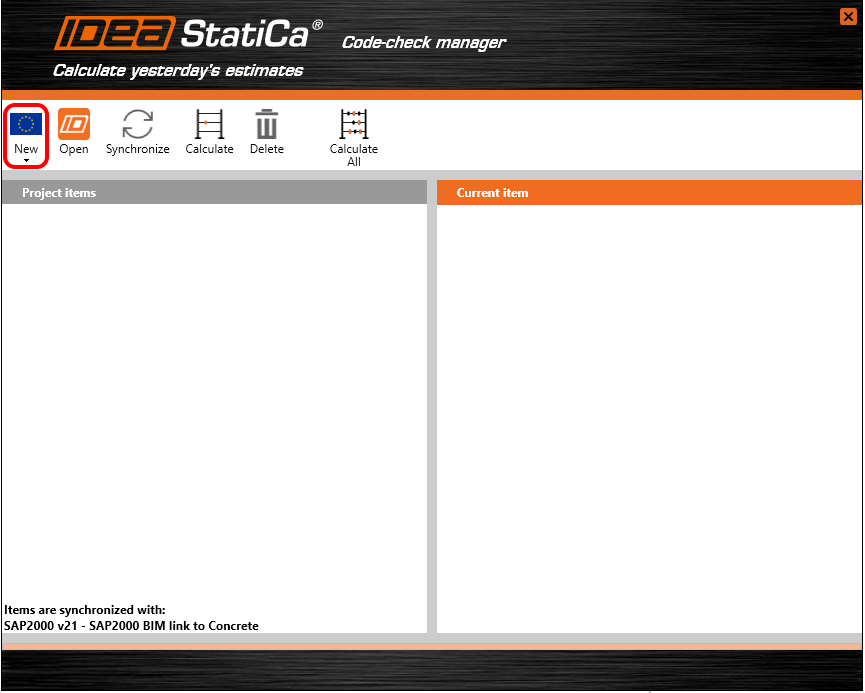
Confirm the Eurocode.
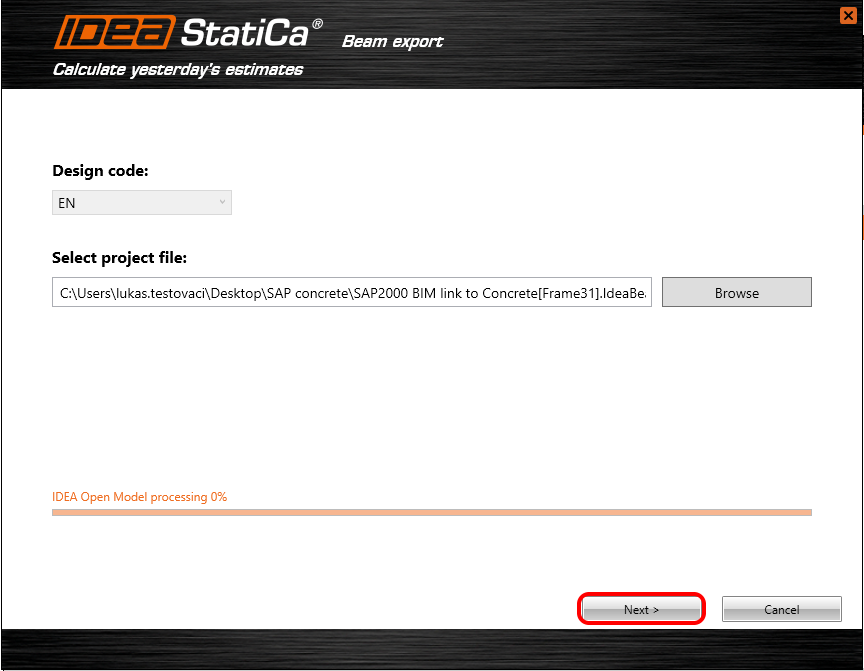
Select the path where you want to save the project and continue Next.
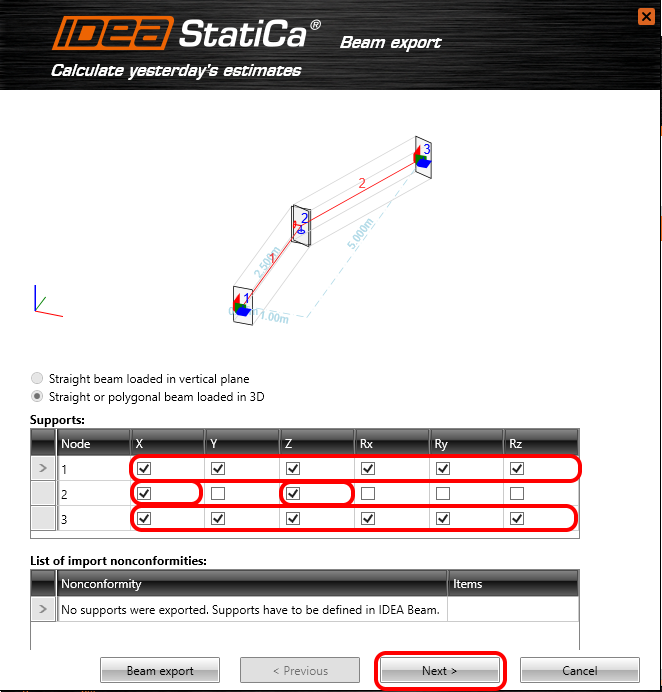
The beam is curved in the global plane XY. The boundary conditions should represent the global model in the SAP2000. Due to monolithic joints consider Fixed support at the ends and in the middle restrain X, Z degrees of freedom.
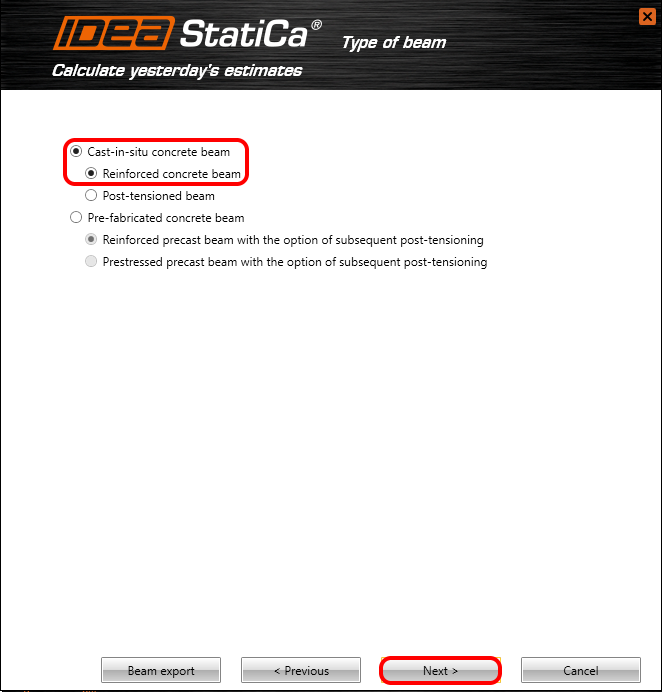
Select Cast-in-situ concrete beam which will be Reinforced.
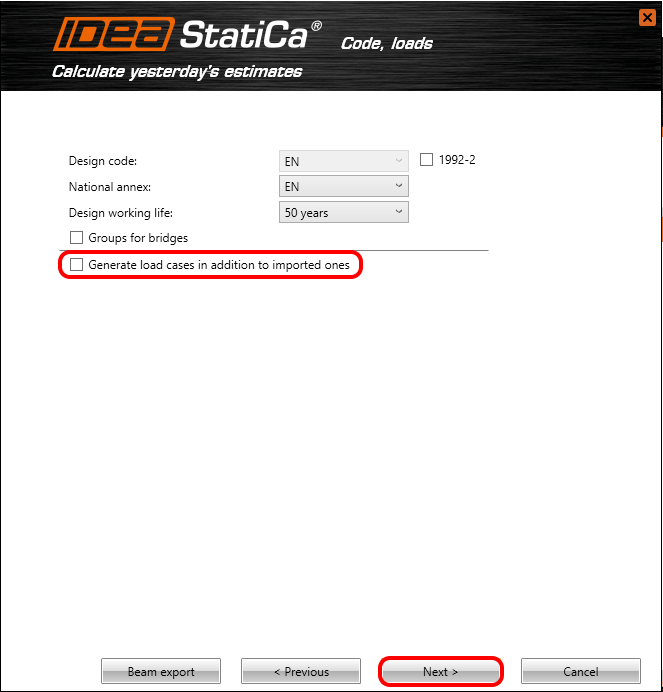
The beam will be code-checked according to Eurocode with a design working life of 50 years. All internal forces will be exported from the SAP2000. So the Checkbox for generating some additional loads won't be Filled.
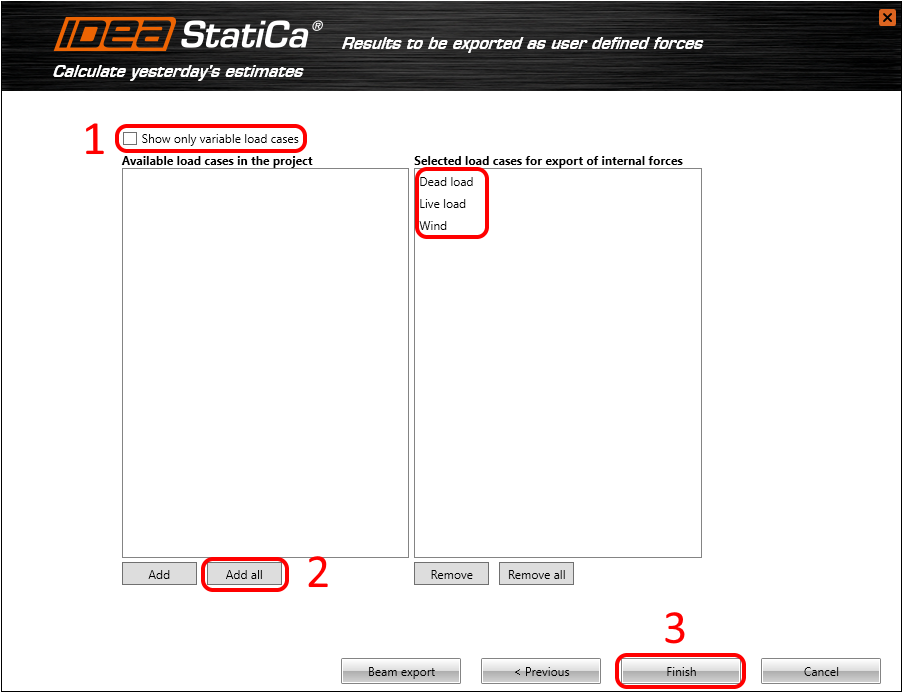
All internal forces will be exported to IDEA StatiCa Beam. Untick the checkbox (1) for revealing the permanent load cases. All loads move to the selected window tab. Accomplish the settings with all necessary steps by pushing the Finish button (3).
3 IDEA StatiCa Beam project
Load Cases
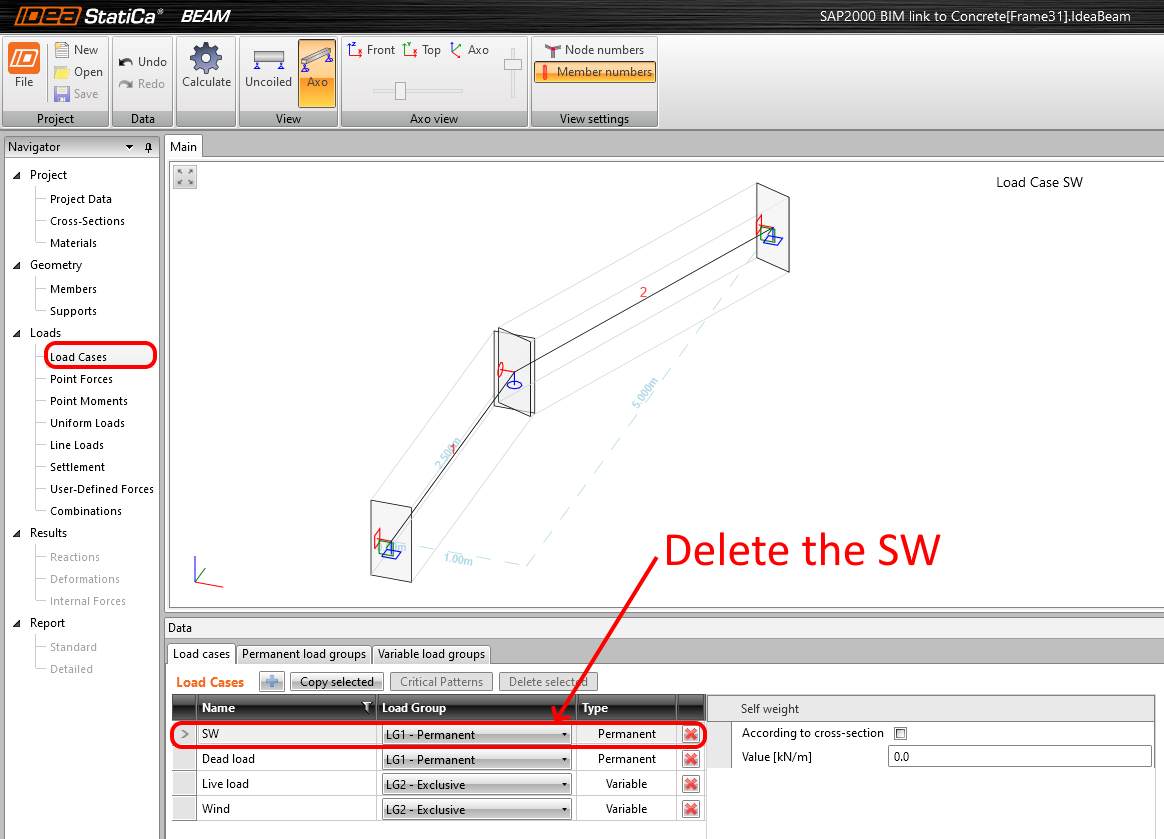
The program automatically creates the load case SW(Self-weight) which is non-active. Self-weight is exported from the SAP2000. Delete the load case SW.
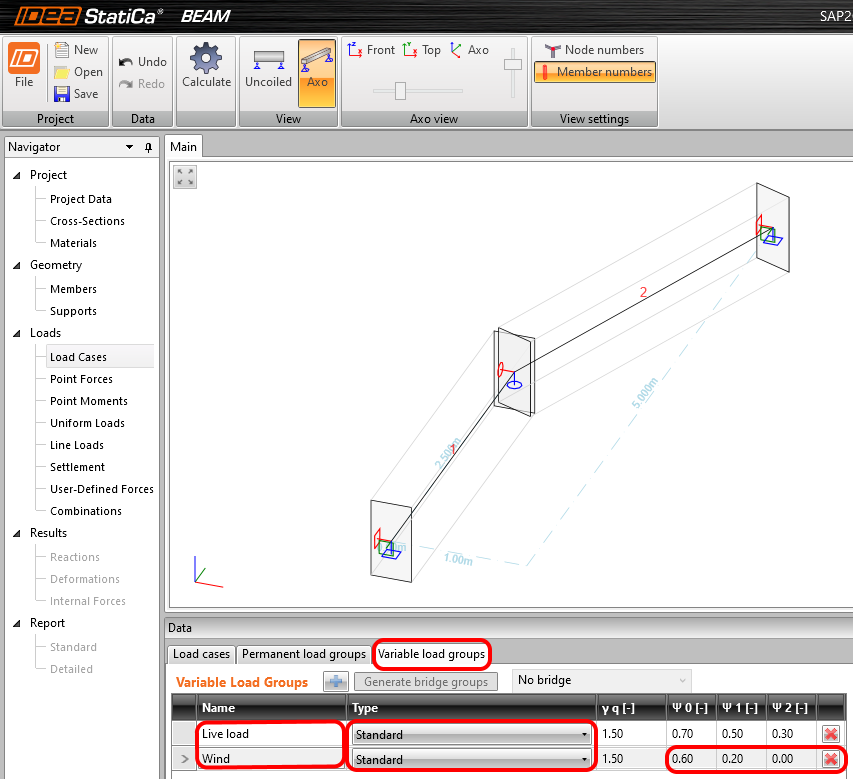
The psi factors for the combinations have to be set manually. Name the variable Load groups, Set type Standard, and Change the psi factors for Wind.
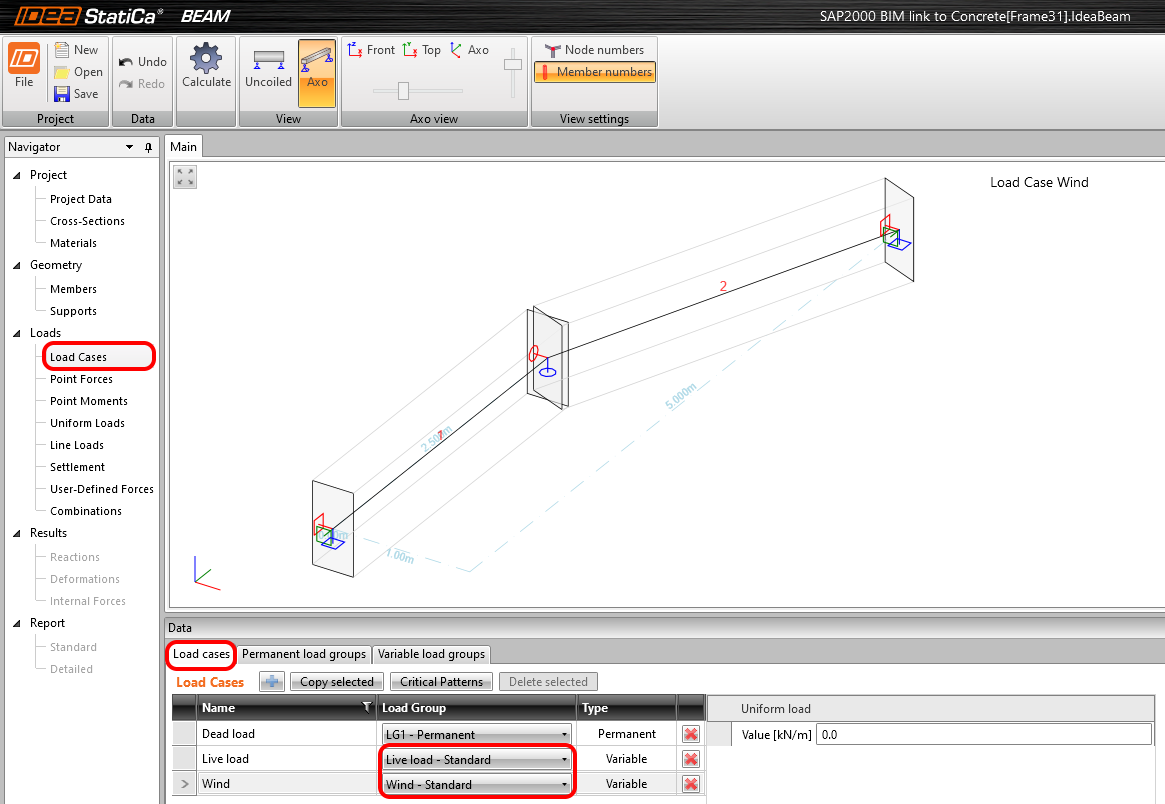
Change the settings on the load case card.
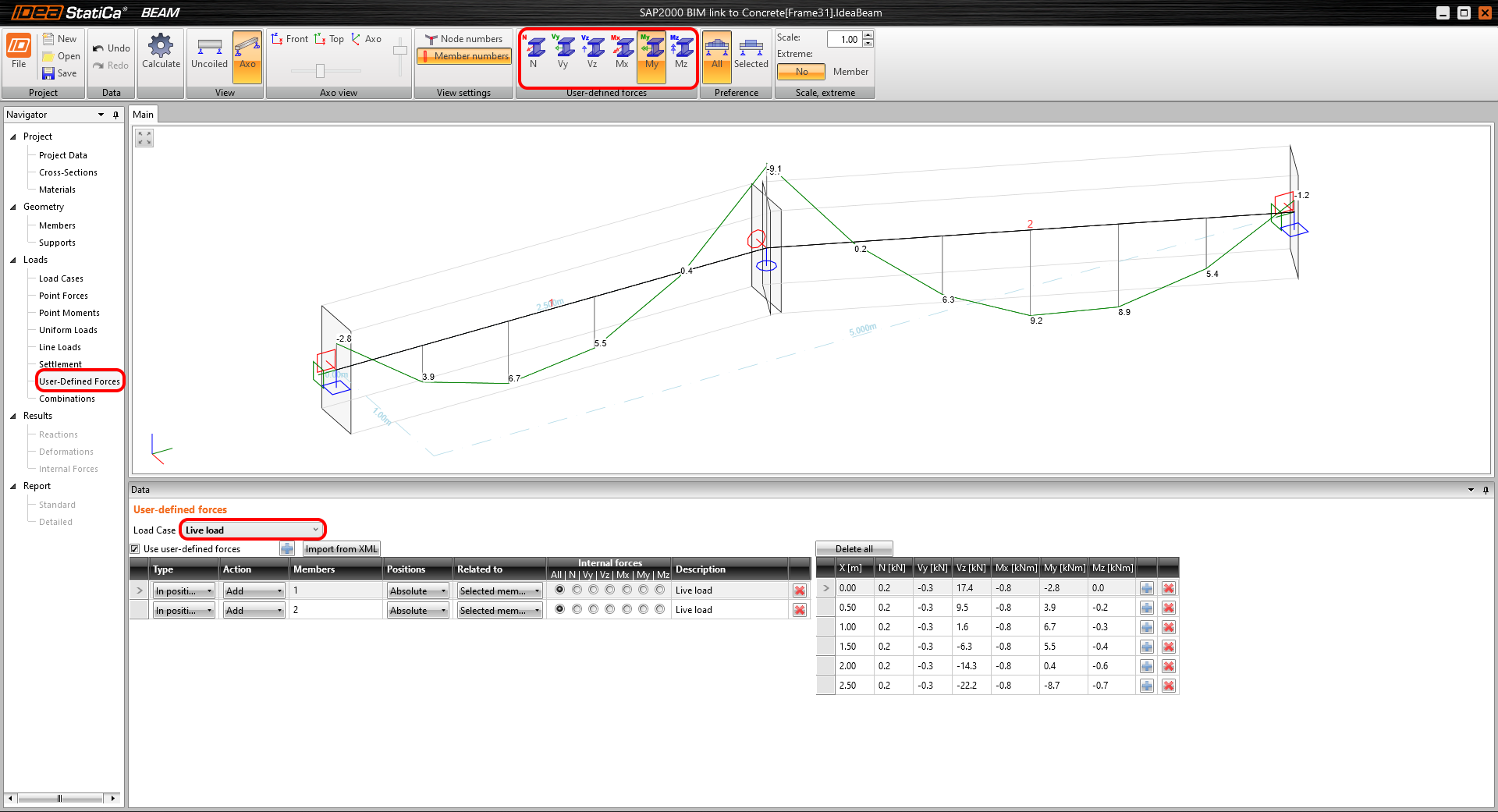
User-Defined Forces
The imported internal forces from SAP2000 are available for control in the User-Defined Forces.
Combinations
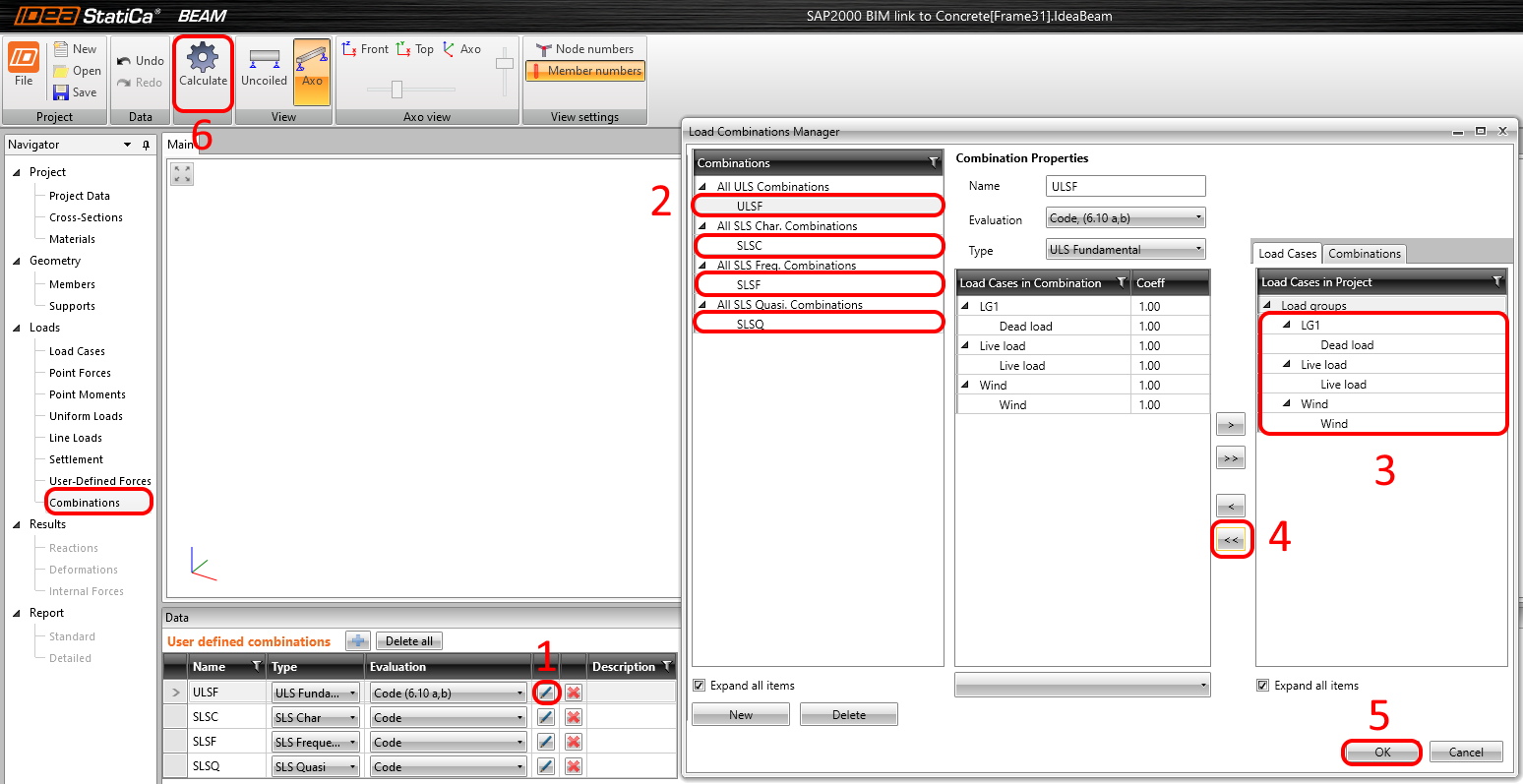
The combinations will be created automatically. Put all load cases to the middle tab. It means that all will be used for it.
Data
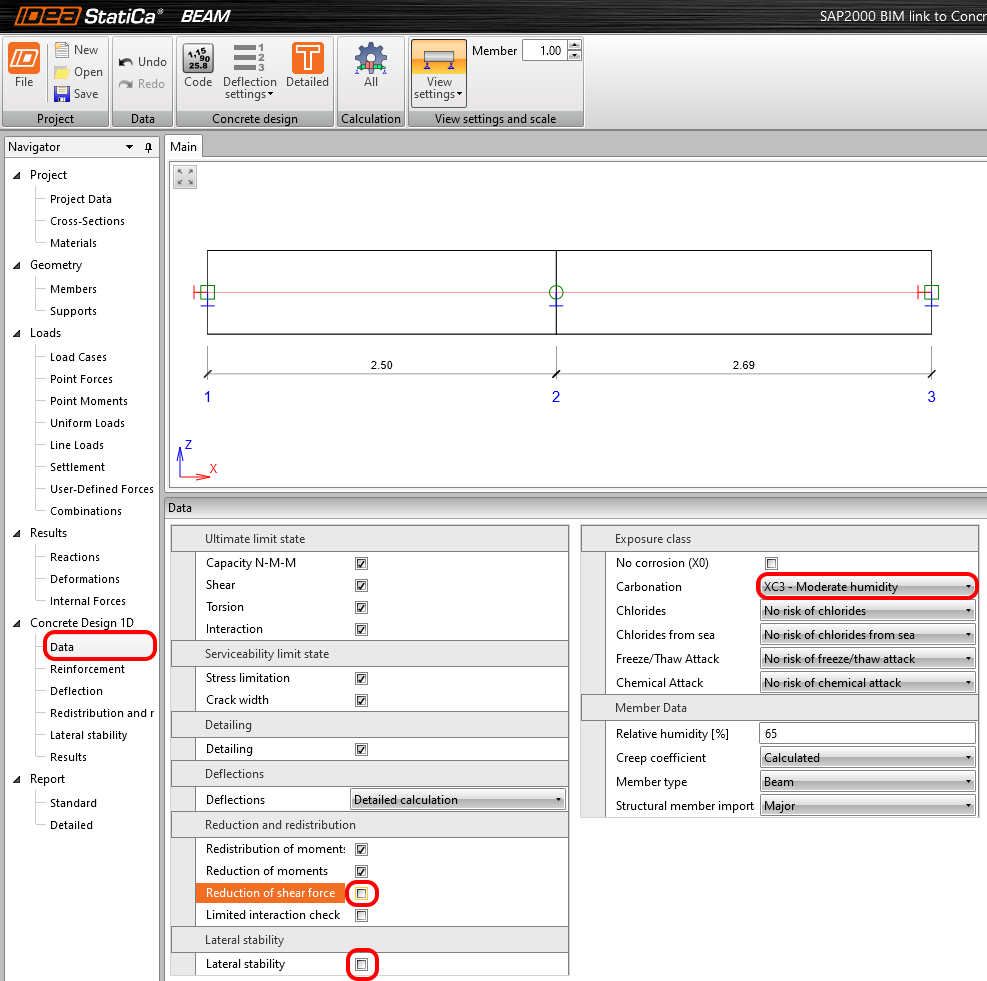
Tha Lateral stability and Reduction of the shear force checks turn off. The Exposure class set as XC3.
Reinforcement
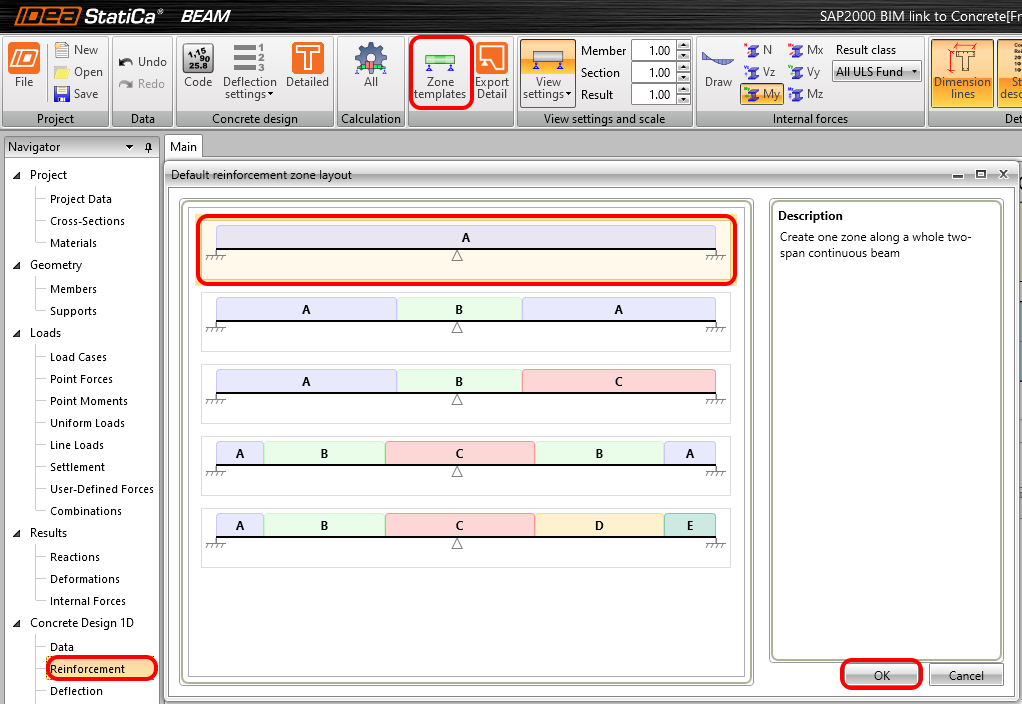
The reinforcement layout will be the same for all beams. Set the One zone for reinforcement layout in the Zone template.
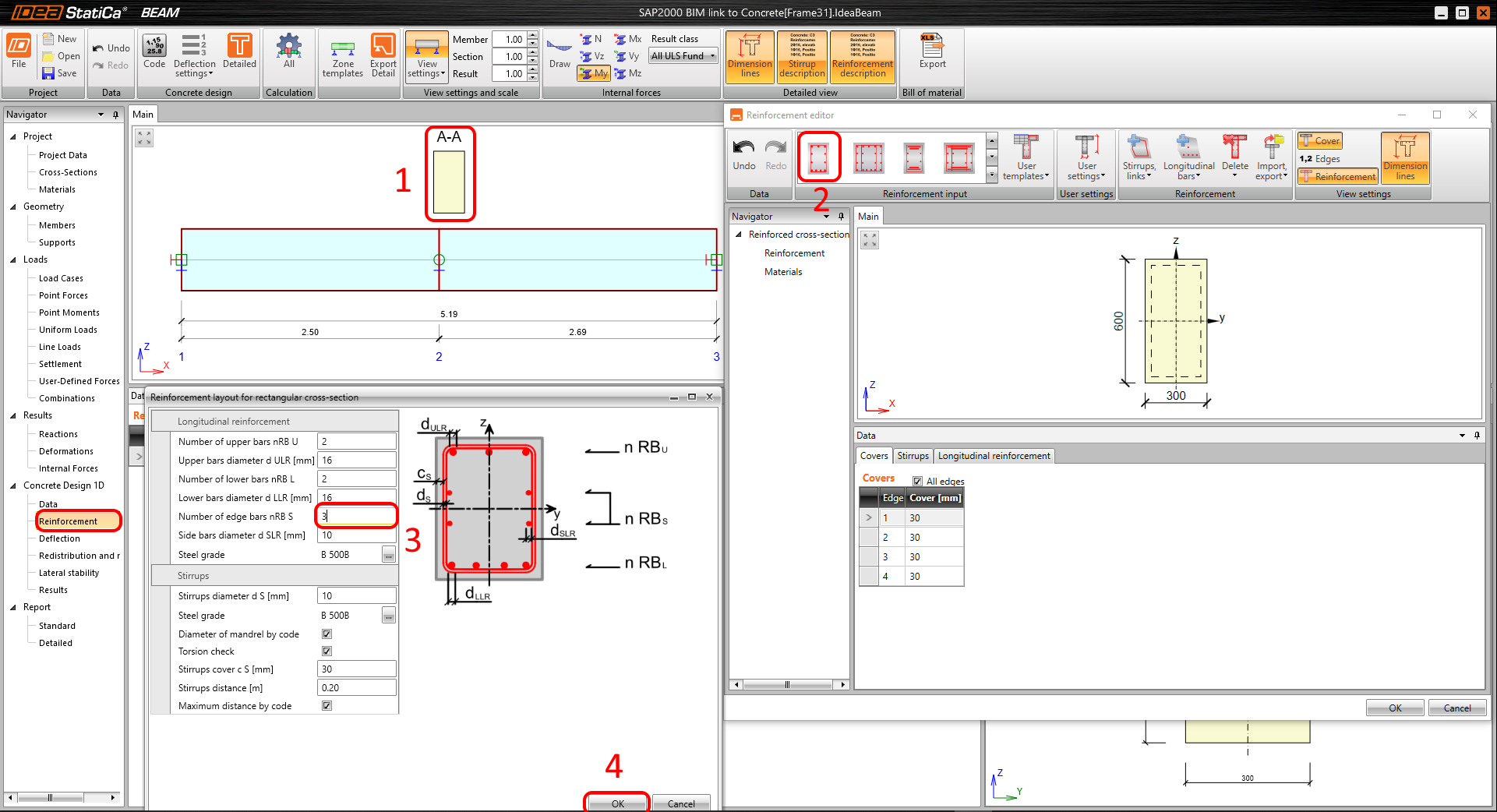
Pick up the cross-section in the scene (1) and select the first Template for reinforcement of the rectangle section (2). Change the default values in the tab editor on 3 rebars on the edges (3). Confirm the settings (4).
Results
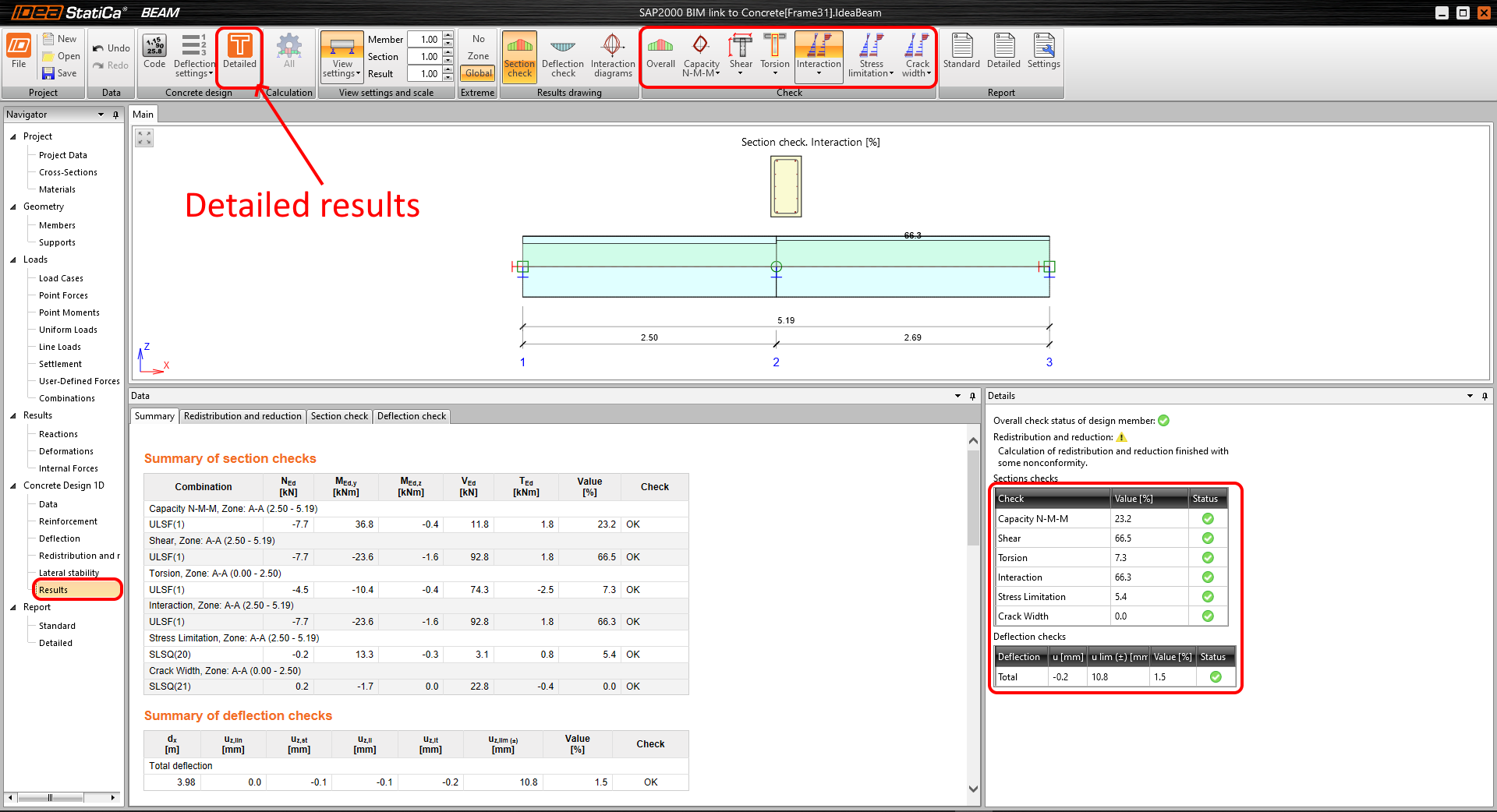
Run the analysis to obtain the results. The Detailed results can be found in the ribbon if you push button samely addressed.
Report
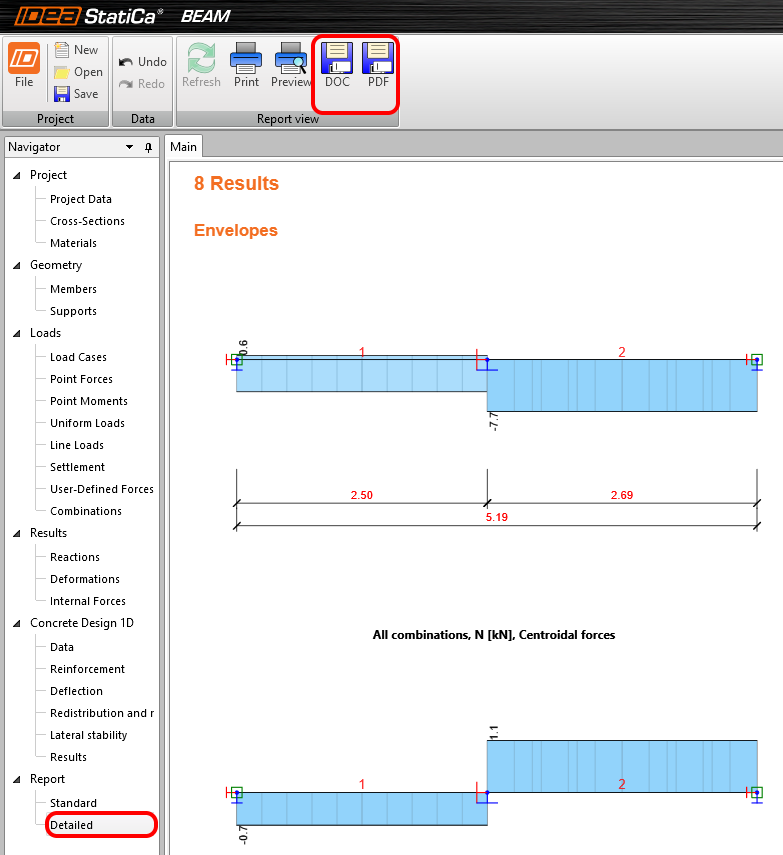
You can select between Detailed or Standard reports. The documents are fully customizable and can be printed out to PDF or DOC files.
- Concrete
- Reinforced concrete
- Prestressed concrete
- Blog post
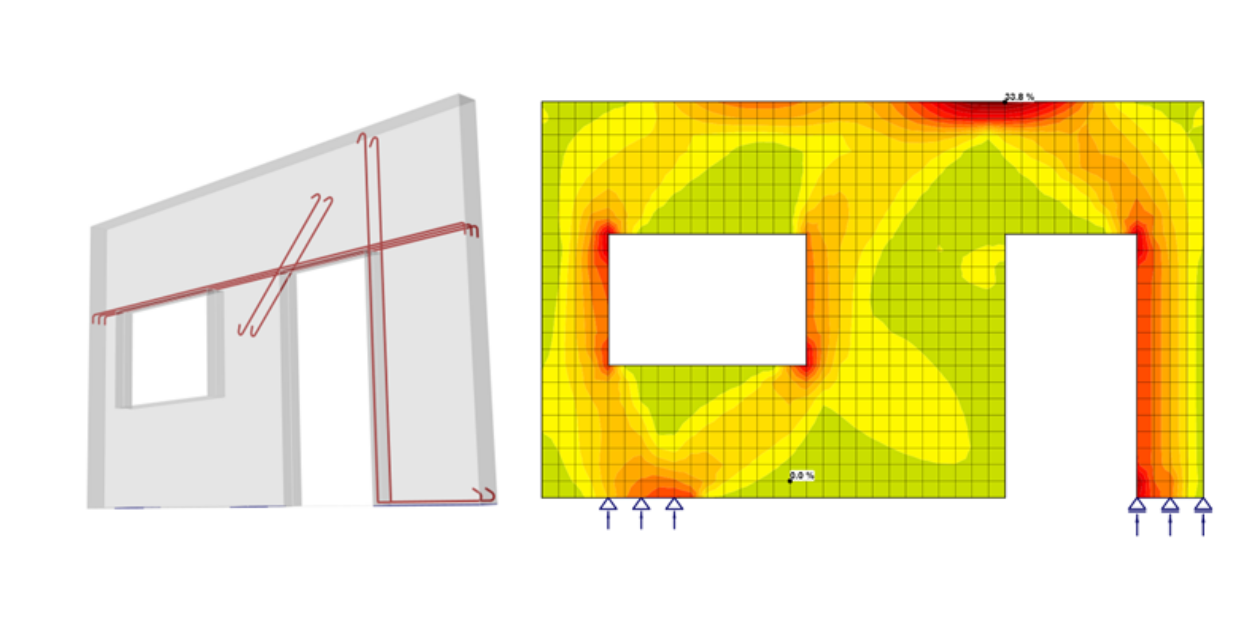
Concrete walls – challenge or routine?
Read more
- Concrete
- Reinforced concrete
- Blog post
Cracks in concrete - the nightmare of engineers?
Read more
- Concrete
- Reinforced concrete
- Prestressed concrete
- Knowledge base
How to create XML file for IDEA StatiCa BIM app
Read more
- Concrete
- Prestressed concrete
- Case study