
Idea Statica
14-Day Trial
Support CenterKnowledge Base ArticlesHow to create XML file for IDEA StatiCa BIM app
How to create XML file for IDEA StatiCa BIM app
BIM link between IDEA StatiCa BIM and IDEA StatiCa Beam
Export Beam to Detail
Export of the beam to Detail app
How to work with imported user-defined internal forces
Import from Beam to Detail including reinforcement and prestressing tendons
How to create XML file for IDEA StatiCa BIM app
ConcreteReinforced concretePrestressed concreteKnowledge baseBeam

How to create XML file for IDEA StatiCa BIM app

This article is also available in
ENDEESFRITPTNLHUROKRPLTHTRVIZH

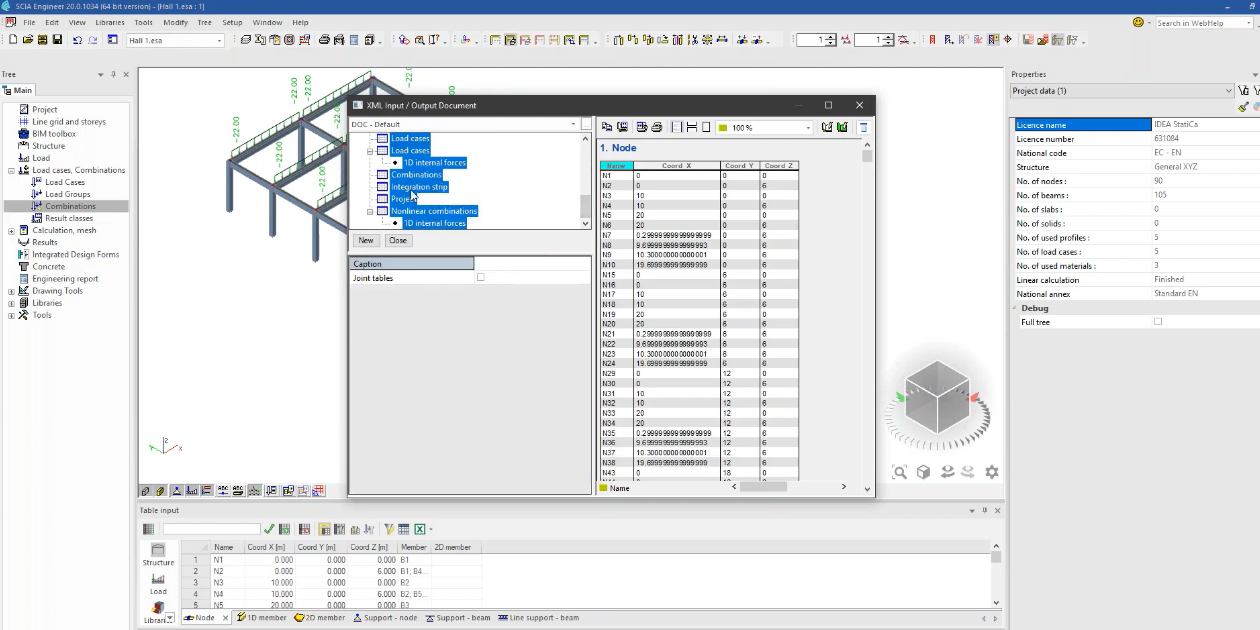
The export of the concrete structure is available through the XML file in SCIA Engineer. During the generating of the XML file is important to select correct document templates for reading data sequentially as IDEA StatiCa needs for the launching. If you have older versions of SCIA Engineer than 2020 you should use IDEA_import_Designer_2014.TDX. If the version will be 2020 or newer you have to use IDEA_import_Designer_2020.TDX.  
Subscribe to our newsletter

Company

  • About us
  • Partners
  • Careers
  • Patent

Resources

  • Sample projects
  • Case studies
  • Connection Library
  • Verification books

Legal

  • EULA
  • Privacy policy
  • TOS Viewer
  • Licensing

Help

  • Contact
  • Submit case
  • Resellers
  • Downloads
FacebookInstagramLinkedInYouTube

© IDEA StatiCa 2009-2026

Trusted and used worldwide by engineers, fabricators & consultants.