
Idea Statica
14-daagse proefperiode
OndersteuningscentrumTutorialsGrasshopper - Installatie van de plugin
Grasshopper - Installatie van de plugin
SteelConnection designTutorialsIDEA Open Model (API)Connection

Grasshopper - Installatie van de plugin

Dit artikel is ook beschikbaar in
ENCZDEESFRITPTNLHUROKRPLTHTRVIZH

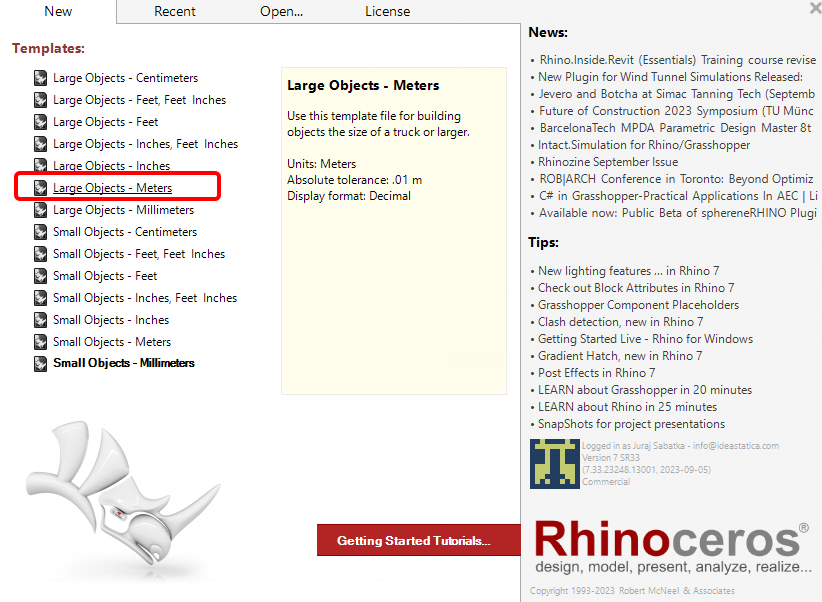
Je kunt een proefversie van Rhino3d en Grasshopper downloaden via de Rhino3d website. Start Rhinoceros en selecteer de template met Meters:
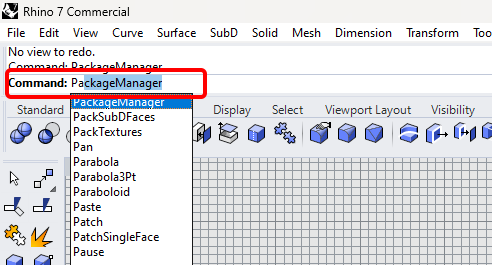
Voer in de command regel "Package Manager" in:
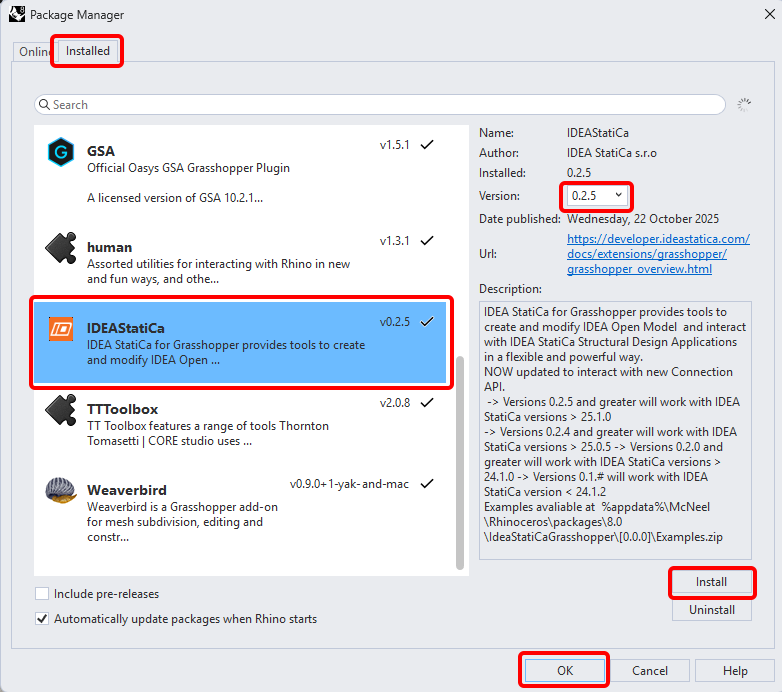
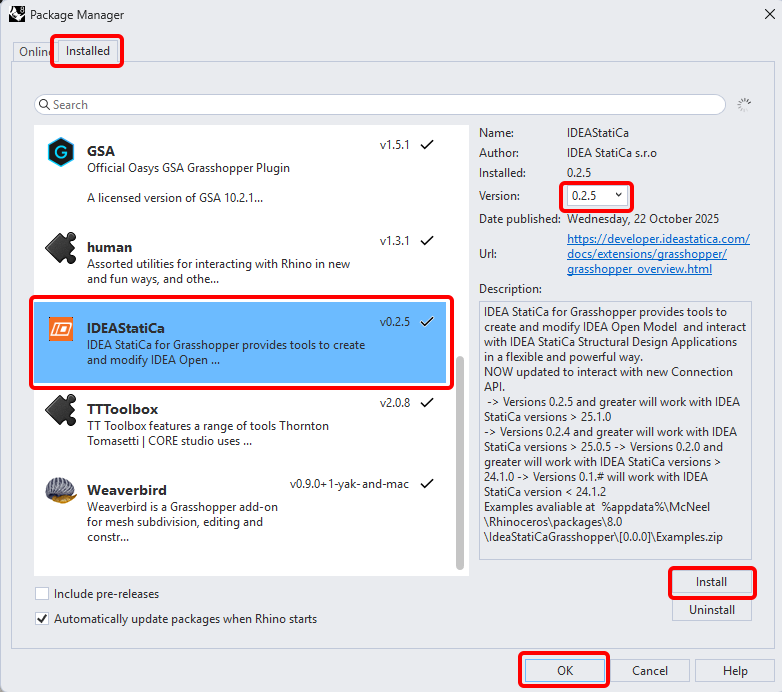
Een nieuw venster verschijnt; selecteer IDEAStatiCa en klik op Install. De plugin wordt gedownload en geïnstalleerd. Om actief te worden, is een herstart van Rhinoceros noodzakelijk.
Om Grasshopper te starten met de IDEA StatiCa plugin, selecteer Tools / Grasshopper in het Rhihoceros tabblad.
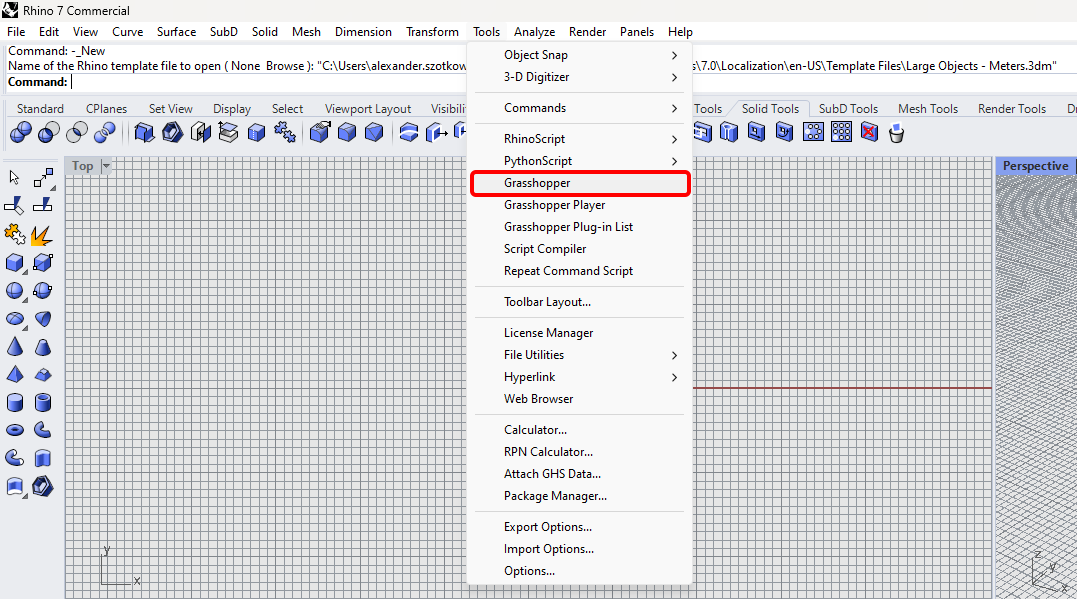
Zoals u kunt zien, is de plugin nu beschikbaar.

Leer meer over de componenten en opdrachten in de IDEA StatiCa-plugin voor Grasshopper in het artikel Beschrijving van Grasshopper-plug-incomponenten.

Abonneer je op onze nieuwsbrief

Bedrijf

  • About us
  • Partnerships
  • Careers
  • Gepatenteerde technologie voor constructeurs

Bronnen

  • Sample projects
  • Case studies
  • IDEA StatiCa Connection Library
  • Verification books

Juridisch

  • Gebruiksrechtovereenkomst IDEA StatiCa
  • Privacybeleid
  • Terms of Services – IDEA StatiCa Viewer
  • Licenties

Help

  • Contact
  • Ontvang een prijsvoorstel
  • Resellers
  • Downloads
FacebookInstagramLinkedInYouTube

© IDEA StatiCa 2009-2026

Vertrouwd en wereldwijd gebruikt door ingenieurs, fabrikanten en consultants.