



To access the setting, continue to the Design -> Settings in the top ribbon.

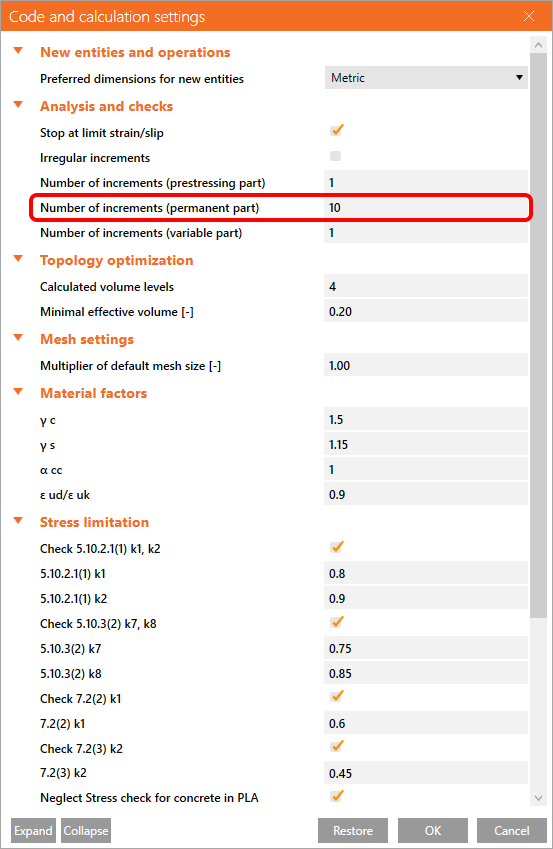
When you click on the button, the Code and calculation settings window appears.
Stop at limit strain/slip
This option is turned on by default. You can read about stop limit criteria in the following article.
Irregular increments
Increments are, by default, 10%. You can change the algorithm to increase the speed of calculation.
Number of increments
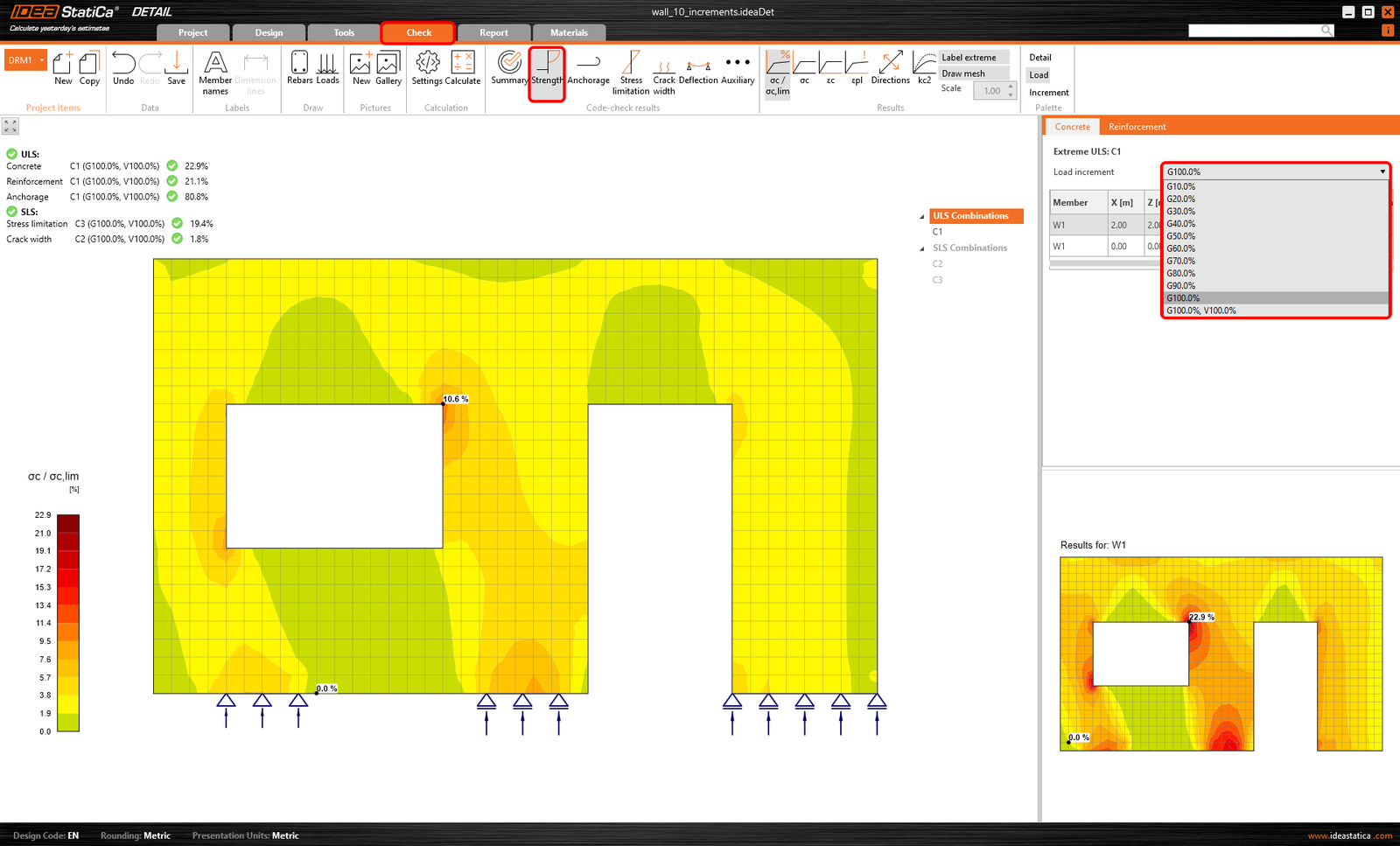
The program can display results for an inputted number of increments of each load type. In the figure below, you can see 10 increments of 10% of the permanent load.
Topology optimization settings
You can also control the number of effective volumes and the size. To learn more about topology optimization, read the Theoretical background.
Multiplier of default mesh size
The default value of the multiplier is 1,0. Mesh created with this multiplier is verified and recommended for the checks. To speed up the calculation during optimization, it is possible to adjust the multiplier.
The limit values of the multiplier are 0,5 (fine mesh) and 5 (coarse mesh).
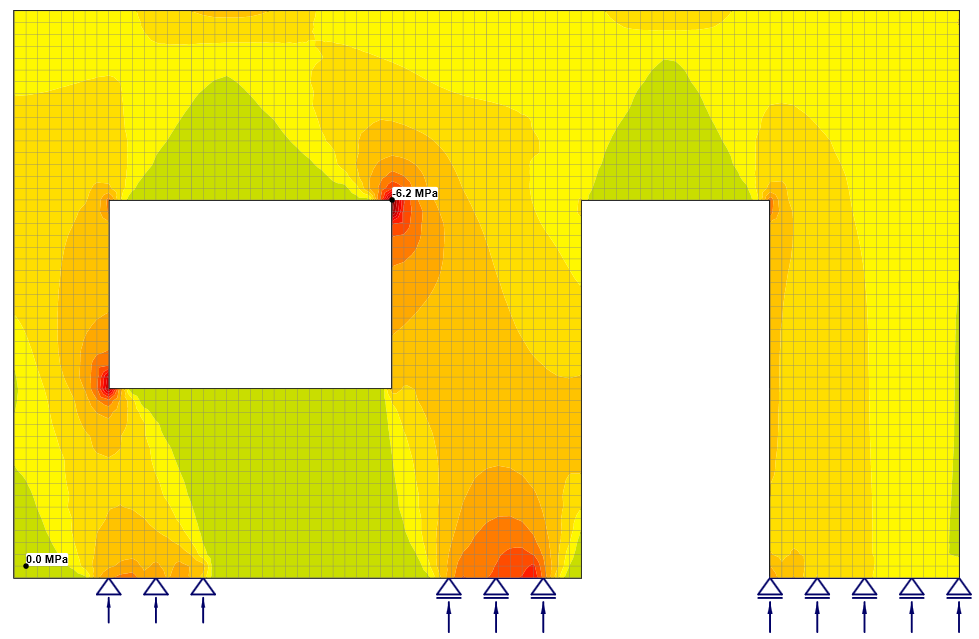
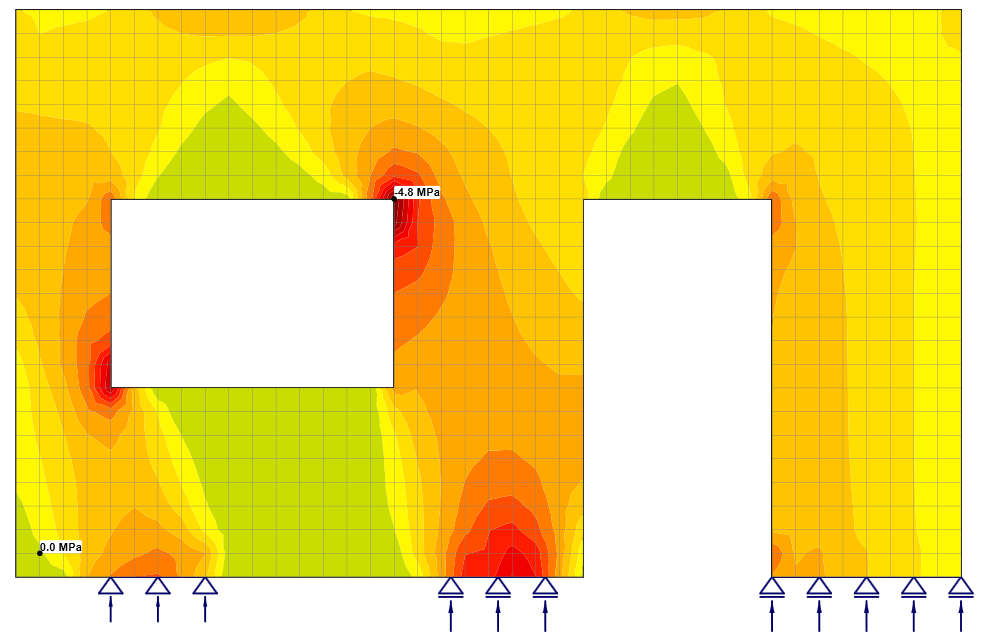
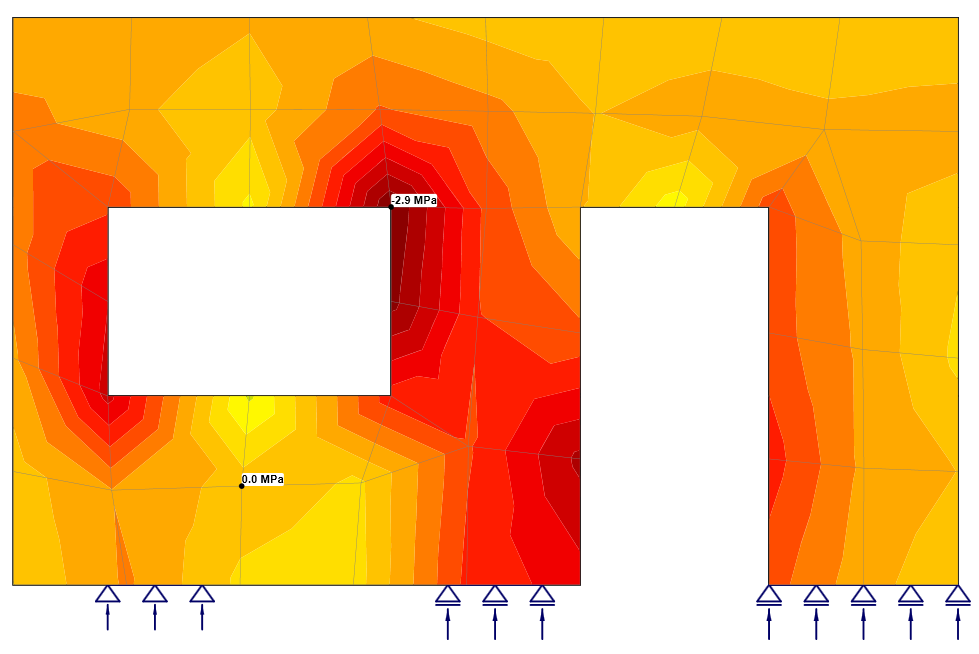
Please note that the multiplier influences the mesh of the reinforcement as well as the mesh of the concrete. The previous figures are from the same model. The dependency between the multiplier and results can be seen in the figures.
Moreover, the behavior of the sharp corner is also shown. To learn more about sharp corners, watch the linked webinar.